
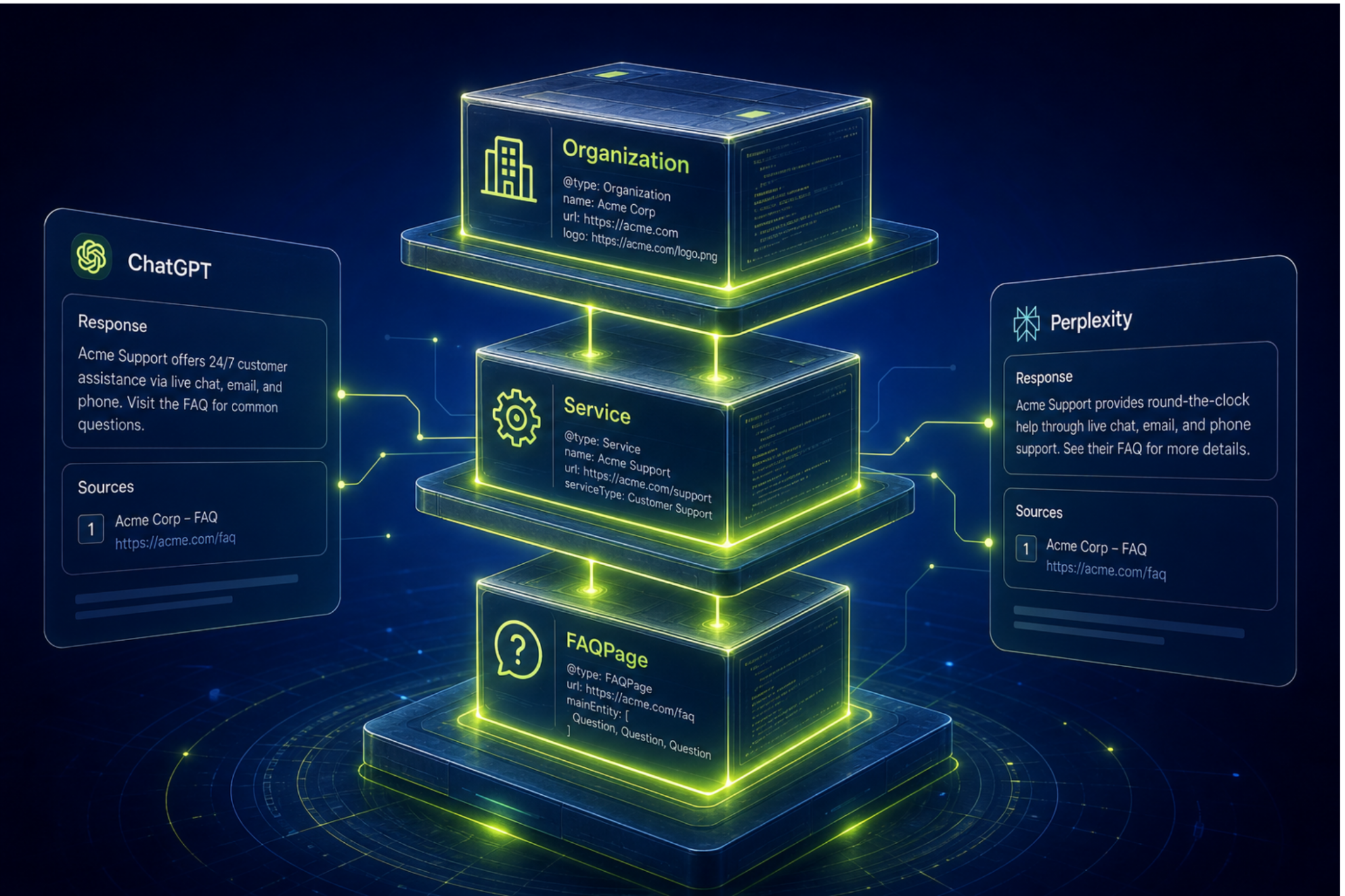

Answer engine schema is the structured data layer that tells AI tools like ChatGPT, Perplexity, and Google AI Overviews exactly what your business is, what it does, who it serves, and why it should be cited as a trustworthy source. Without it, AI retrieval systems have to infer your business identity from plain text. That process produces inconsistent results and frequently results in competitors with better structured data being cited instead of you. This guide covers the specific JSON-LD schema types that produce the strongest citation signals for local businesses, with complete examples you can adapt for your own site.
Is your website structured for AI citation?
We audit and implement answer engine schema for local businesses that want to show up in AI-generated answers, not just Google search results.
The Quick Take: Plain Text vs. Structured Schema for AI Citation
| Plain Text Only | Answer Engine Schema |
|---|---|
| AI has to infer your business identity from context | AI reads a structured declaration of exactly who you are |
| No machine-readable link between your name and your services | Service schema maps your offerings to your entity precisely |
| AI cannot verify your identity against external sources | sameAs links connect your site to verified profiles AI already trusts |
| FAQ answers buried in paragraphs require parsing to extract | FAQPage schema makes answers directly retrievable without parsing |
| Geographic service area is ambiguous or missing | areaServed property declares exactly where you operate |
The Takeaway: Answer engine schema does not replace good content. It tells AI retrieval systems what your content means, so they can cite it with confidence rather than guessing.
💡 Pro Tip: JSON-LD is Google’s preferred schema format and the one most reliably processed by AI retrieval systems. It lives in a script tag in your page head and does not interfere with your visible content or slow your site load because it is non-blocking. Every example in this guide uses JSON-LD. Do not use microdata or RDFa for new schema implementations. JSON-LD is the current standard.
Table of Contents
→ Why Answer Engine Schema Changes Who Gets Cited
→ Organization Schema: Declaring Your Business Identity
→ LocalBusiness Schema: Establishing Geographic Authority
→ Service Schema: Defining What You Offer
→ FAQPage Schema: Making Your Answers Directly Retrievable
→ Article Schema: Signaling Content Authority
→ How to Implement Answer Engine Schema on WordPress
→ The Bottom Line on Answer Engine Schema
→ FAQ: Common Questions
Why Answer Engine Schema Changes Who Gets Cited
AI retrieval systems prioritize content they can verify over content they have to interpret. When an AI tool receives a query, it scans the web for sources that answer the question clearly and carry enough trust signals to be cited confidently. A page with structured schema gives the AI a machine-readable declaration of what the business is, what it does, where it operates, and what questions it answers. A page without schema gives the AI ambiguous text that may or may not contain the information it needs.
This matters most for local businesses because local queries are highly specific. When someone asks ChatGPT or Perplexity “who provides paid social advertising in Oceanside,” the AI is not just looking for pages that mention paid social advertising. It is looking for a business entity it can verify as operating in that location, offering that service, and having enough authority signals to be recommended. Answer engine schema is the technical mechanism that creates those verification signals.
The five schema types that produce the strongest citation signals for local businesses are Organization, LocalBusiness, Service, FAQPage, and Article. Each one addresses a different dimension of what AI retrieval systems use to evaluate whether your business should be cited. Used together, they create a comprehensive structured data layer that makes your business identity unambiguous to any AI tool crawling your site. For a broader look at how AI citation works across platforms, the guide to getting cited by answer engines covers the retrieval architecture in full.
Organization Schema: Declaring Your Business Identity
Organization schema is the foundational layer of answer engine schema. It declares who your business is and connects your website to the external profiles that AI tools use to verify your identity. The most important property in Organization schema is sameAs, which creates machine-readable links between your domain and your verified presence on platforms like LinkedIn, Google Business Profile, and professional directories. When an AI tool encounters your sameAs links, it can cross-reference your identity against sources it already has in its knowledge base.
Here is a complete Organization schema example using kim-reynolds.com as the base domain. Paste this into your site’s header via a plugin like Insert Headers and Footers, or add it through your theme’s header.php file. When displaying this on your own site, replace all values in the example with your actual business information.
Organization Schema Example:
{
  "@context": "https://schema.org",
  "@type": "Organization",
  "@id": "https://kim-reynolds.com/#organization",
  "name": "Kim Reynolds Digital",
  "url": "https://kim-reynolds.com",
  "logo": "https://kim-reynolds.com/wp-content/uploads/logo.png",
  "description": "Kim Reynolds Digital provides AEO, paid media, and website design services for local businesses.",
  "foundingDate": "2020",
  "areaServed": {
    "@type": "GeoCircle",
    "geoMidpoint": {
      "@type": "GeoCoordinates",
      "latitude": 33.1959,
      "longitude": -117.3795
    },
    "geoRadius": "80000"
  },
  "contactPoint": {
    "@type": "ContactPoint",
    "contactType": "customer service",
    "url": "https://kim-reynolds.com/contact/"
  },
  "sameAs": [
    "https://www.linkedin.com/in/kimreynoldsdigital/",
    "https://www.facebook.com/kimreynoldsdigital/",
    "https://www.google.com/maps?cid=YOUR_GOOGLE_CID"
  ]
}
Key properties to customize:
- @id: Use your domain with
#organizationappended. This creates a unique identifier other schema types on your site can reference. - sameAs: Include every verified external profile you maintain. LinkedIn, Google Business Profile, Facebook, and any industry directory listings are the highest-value sources for AI verification.
- areaServed: The GeoCircle radius is in meters. 80,000 meters covers approximately 50 miles. Adjust to match your actual service area.
💡 Pro Tip: The @id property is the most underused element in Organization schema. Setting it to https://yourdomain.com/#organization creates a stable URI that other schema types on your site can reference using "@id": "https://yourdomain.com/#organization". This creates a connected graph of schema across your site rather than isolated blocks on individual pages, which is significantly more legible to AI retrieval systems.
LocalBusiness Schema: Establishing Geographic Authority
LocalBusiness schema is a more specific type of Organization schema that adds the location-specific properties AI tools use to match your business to local queries. For a local service business, this is the schema type that answers the question “who provides this service in this city.” Without it, your business has no structured data signal connecting your name to a specific geographic market, which makes you invisible to AI tools handling location-specific queries.
LocalBusiness schema should appear on your homepage and your contact page at minimum. It can also be added to individual service area pages if you serve multiple cities. Here is a complete example:
LocalBusiness Schema Example:
{
  "@context": "https://schema.org",
  "@type": "LocalBusiness",
  "@id": "https://kim-reynolds.com/#localbusiness",
  "name": "Kim Reynolds Digital",
  "image": "https://kim-reynolds.com/wp-content/uploads/logo.png",
  "url": "https://kim-reynolds.com",
  "telephone": "+1-760-555-0100",
  "priceRange": "$$",
  "address": {
    "@type": "PostalAddress",
    "addressLocality": "Oceanside",
    "addressRegion": "CA",
    "addressCountry": "US"
  },
  "geo": {
    "@type": "GeoCoordinates",
    "latitude": 33.1959,
    "longitude": -117.3795
  },
  "openingHoursSpecification": [
    {
      "@type": "OpeningHoursSpecification",
      "dayOfWeek": ["Monday","Tuesday","Wednesday","Thursday","Friday"],
      "opens": "09:00",
      "closes": "17:00"
    }
  ],
  "areaServed": [
    {
      "@type": "City",
      "name": "Oceanside"
    },
    {
      "@type": "City",
      "name": "Carlsbad"
    },
    {
      "@type": "City",
      "name": "Vista"
    }
  ],
  "hasMap": "https://www.google.com/maps?cid=YOUR_GOOGLE_CID",
  "parentOrganization": {
    "@id": "https://kim-reynolds.com/#organization"
  }
}
Key properties to customize:
- areaServed: List each city you actively serve as a separate City object. AI tools use this property to match your business to location-specific queries.
- openingHoursSpecification: Keep this accurate. Schema that contradicts your visible business hours is worse than no schema because it creates a conflicting signal.
- parentOrganization: Reference your Organization schema
@idhere to connect the two schema types into a single entity graph.
Service Schema: Defining What You Offer
Service schema is the answer engine schema type that connects your business entity to specific service offerings, making it possible for AI tools to cite you when a user asks about a specific service in your area. Without Service schema, the AI has to infer your offerings from your page copy. That produces weaker citation signals than an explicit structured data declaration. With Service schema, you are telling the AI directly: this business provides this specific service to this specific audience in this specific location.
Add a separate Service schema block for each core service you offer. Place the schema on the dedicated service page for that offering. Here is a complete example for an AEO service page:
Service Schema Example:
{
  "@context": "https://schema.org",
  "@type": "Service",
  "@id": "https://kim-reynolds.com/services/aeo/#service",
  "name": "Answer Engine Optimization (AEO)",
  "description": "AEO services for local businesses including schema markup implementation, content structuring for AI citation, and ongoing citation monitoring.",
  "url": "https://kim-reynolds.com/services/aeo/",
  "provider": {
    "@id": "https://kim-reynolds.com/#organization"
  },
  "areaServed": [
    {
      "@type": "City",
      "name": "Oceanside"
    },
    {
      "@type": "City",
      "name": "Carlsbad"
    }
  ],
  "audience": {
    "@type": "Audience",
    "audienceType": "Local service businesses and small business owners"
  },
  "serviceType": "Answer Engine Optimization",
  "category": "Digital Marketing",
  "hasOfferCatalog": {
    "@type": "OfferCatalog",
    "name": "AEO Service Packages",
    "itemListElement": [
      {
        "@type": "Offer",
        "itemOffered": {
          "@type": "Service",
          "name": "Schema Markup Implementation"
        }
      },
      {
        "@type": "Offer",
        "itemOffered": {
          "@type": "Service",
          "name": "Content Structure Audit for AI Citation"
        }
      }
    ]
  }
}
Key properties to customize:
- provider: Always reference your Organization schema
@idhere. This connects the service to your verified business entity rather than leaving it as a floating declaration. - audience: Be specific. “Local service businesses and small business owners” is more useful to an AI retrieval system than “businesses” or “anyone.”
- hasOfferCatalog: Breaking your service into component offerings gives AI tools more specific nodes to retrieve when a user asks about a particular aspect of your service.
💡 Pro Tip: Create a separate Service schema block for each distinct service page rather than trying to list all services in a single block. Each service page with its own schema creates an independent citation target for AI retrieval systems. A user asking about paid social advertising should trigger the paid social service page, not a generic services overview page that mentions paid social alongside five other offerings.
FAQPage Schema: Making Your Answers Directly Retrievable
FAQPage schema is the single highest-impact answer engine schema type for most local businesses because it maps your questions and answers directly to query patterns, making them extractable without any parsing required. When an AI tool encounters a FAQPage schema block, it can lift the question-answer pair directly and cite your page as the source. This is the closest thing to guaranteed citation behavior that structured data currently offers.
Every service page and blog post on your site should include FAQPage schema. The questions should mirror how your customers actually phrase their queries in conversation, not how you would phrase them in marketing copy. Here is a complete example:
FAQPage Schema Example:
{
  "@context": "https://schema.org",
  "@type": "FAQPage",
  "mainEntity": [
    {
      "@type": "Question",
      "name": "What is answer engine optimization?",
      "acceptedAnswer": {
        "@type": "Answer",
        "text": "Answer engine optimization (AEO) is the practice of structuring your website content and technical markup so that AI tools like ChatGPT, Perplexity, and Google AI Overviews cite your business when users ask relevant questions. It involves content structure, schema markup, and authority signal building."
      }
    },
    {
      "@type": "Question",
      "name": "How long does it take to get cited by AI answer engines?",
      "acceptedAnswer": {
        "@type": "Answer",
        "text": "Citation timelines vary by platform. Perplexity performs real-time web retrieval on every query and can begin citing a well-structured page within days of it being crawled. Google AI Overviews typically take longer because citation is tied to organic ranking strength. Most businesses see measurable AI citation activity within four to eight weeks of implementing full schema markup and content restructuring."
      }
    },
    {
      "@type": "Question",
      "name": "Do I need a developer to implement schema markup?",
      "acceptedAnswer": {
        "@type": "Answer",
        "text": "Not for most WordPress sites. Plugins like RankMath Pro handle Organization, LocalBusiness, Article, and FAQPage schema generation through a settings interface without requiring code. Complex schema types like Service schema with nested properties benefit from manual JSON-LD implementation for full control over the output."
      }
    }
  ]
}
Key properties to get right:
- name (the question): Write this exactly as a user would type or speak the query. “What is answer engine optimization?” outperforms “Answer Engine Optimization Explained” because it matches conversational query phrasing.
- text (the answer): The answer in your JSON-LD must match your visible page answer exactly. Discrepancies between your schema and your visible content reduce citation likelihood.
- Minimum quantity: Include at least five question-answer pairs per page. More is better as long as each question represents a genuinely distinct query someone would ask.
Article Schema: Signaling Content Authority
Article schema tells AI retrieval systems that a page contains authoritative, dated content from a named author. Those are the two signals most directly associated with E-E-A-T (Experience, Expertise, Authoritativeness, Trustworthiness), which both Google and AI tools use to evaluate citation worthiness. Without Article schema, a blog post is just a page. With it, the post is a declared piece of authored content with a publication date, a modification date, and a named author whose credentials can be verified.
Add Article schema to every blog post and resource page on your site. Here is a complete example:
Article Schema Example:
{
  "@context": "https://schema.org",
  "@type": "Article",
  "@id": "https://kim-reynolds.com/answer-engine-schema/#article",
  "headline": "Answer Engine Schema: The Complete Setup Guide for Local Businesses",
  "description": "A complete guide to implementing JSON-LD schema markup for AI citation, covering Organization, LocalBusiness, Service, FAQPage, and Article schema types.",
  "image": "https://kim-reynolds.com/wp-content/uploads/answer-engine-schema-featured.jpg",
  "datePublished": "2026-01-15",
  "dateModified": "2026-06-01",
  "author": {
    "@type": "Person",
    "name": "Kim Reynolds",
    "url": "https://kim-reynolds.com/about/",
    "sameAs": [
      "https://www.linkedin.com/in/kimreynoldsdigital/"
    ]
  },
  "publisher": {
    "@id": "https://kim-reynolds.com/#organization"
  },
  "mainEntityOfPage": {
    "@type": "WebPage",
    "@id": "https://kim-reynolds.com/answer-engine-schema/"
  },
  "keywords": [
    "answer engine schema",
    "JSON-LD schema markup",
    "AEO",
    "AI citation",
    "local business schema"
  ]
}
Key properties to maintain:
- dateModified: Update this every time you make a meaningful edit to the post. AI retrieval systems use content freshness as a citation signal, and an accurate
dateModifiedis how you communicate that your content is current. - author sameAs: Link to the author’s LinkedIn profile or other verified professional profile. This connects the named author to an entity the AI can verify independently.
- publisher: Reference your Organization schema
@idhere to connect the article to your verified business entity.
How to Implement Answer Engine Schema on WordPress
There are two implementation methods for answer engine schema on WordPress: plugin-managed schema for standard types, and manually inserted JSON-LD for complex types that require custom properties. Both methods are valid and they work well together. Use RankMath Pro to handle Organization, LocalBusiness, and Article schema site-wide through its settings interface. Use manual JSON-LD insertion for Service schema and FAQPage schema where you need precise control over the output.
For manual JSON-LD insertion, the safest WordPress method is the Insert Headers and Footers plugin. It lets you add script tags to individual pages without editing theme files, and it survives theme updates without losing your schema. Paste your complete JSON-LD block inside a <script type="application/ld+json"> tag and it will be added to that page’s head section.
Important: when you paste JSON-LD schema into a WPBakery text block or the WordPress visual editor, the editor may strip or escape your script tags. Always add schema through one of these three routes instead:
- Insert Headers and Footers plugin: Paste the full script tag per page from the page’s meta settings area
- RankMath Pro schema builder: Use the built-in schema types for Organization, LocalBusiness, Article, and FAQPage
- Theme header.php: For site-wide schema like Organization that should appear on every page
After implementing schema, validate it using Schema.org’s official validator and Google’s Rich Results Test. Both tools show you exactly what Google and AI tools see when they crawl your schema, and they surface errors in property names, missing required fields, and mismatched values before they affect your citation performance.
💡 Pro Tip: The most common schema implementation error for local businesses is inconsistency between schema values and visible page content. Your schema business name must match your Google Business Profile name exactly. Your schema address must match your visible contact page address exactly. Your schema service descriptions must reflect services you actually offer on the page where the schema appears. Inconsistencies create conflicting signals that reduce citation likelihood rather than improving it.
The Bottom Line on Answer Engine Schema
Answer engine schema is not a ranking trick or a short-term tactic. It is the technical foundation that makes your business legible to AI retrieval systems. Without it, your content competes for citations on the strength of its text alone. With it, your business identity, service offerings, geographic coverage, and content authority are all declared in a format that every major AI tool is built to read and trust.
The five schema types covered in this guide work together as a connected system. Organization schema establishes your identity. LocalBusiness schema grounds it geographically. Service schema connects it to specific offerings. FAQPage schema makes your answers directly retrievable. Article schema signals content authority and freshness. Implement all five and your site becomes significantly more citable than competitors who have only plain text.
Start with Organization and LocalBusiness schema on your homepage today. Validate both with Google’s Rich Results Test before moving to Service and FAQPage schema on your individual service pages. The foundation has to be correct before the layers on top of it will work.
🎯 Want Your Business Cited by AI Tools, Not Just Ranked by Google?
We audit and implement answer engine schema for local businesses, covering all five schema types and validating every implementation before it goes live. Book a free 15-minute call to find out what your site needs.
15 minutes. No pitch. Just a clear picture of what your schema needs.
Frequently Asked Questions About Answer Engine Schema
What is answer engine schema?
Answer engine schema is structured data markup added to a website in JSON-LD format that tells AI tools like ChatGPT, Perplexity, and Google AI Overviews exactly what a business is, what it offers, where it operates, and why its content should be cited. It is the technical foundation for getting a business cited in AI-generated answers rather than just ranked in traditional search results.
Which schema types are most important for AI citation?
The five schema types that produce the strongest AI citation signals for local businesses are Organization schema, LocalBusiness schema, Service schema, FAQPage schema, and Article schema. FAQPage schema tends to produce the most direct citation impact because it makes question-answer pairs directly extractable without parsing. Organization schema with sameAs links is the most important for establishing a verified business identity across platforms.
What is the sameAs property in schema markup?
The sameAs property in Organization schema creates machine-readable links between your website and your verified external profiles on platforms like LinkedIn, Google Business Profile, and professional directories. AI tools use these links to cross-reference your business identity against sources they already have in their knowledge base, which increases the confidence of your citation signal.
Does RankMath Pro handle all the schema a local business needs?
RankMath Pro handles Organization, LocalBusiness, Article, and FAQPage schema through its settings interface and is sufficient for those types on most sites. Service schema with detailed nested properties like hasOfferCatalog, audience, and areaServed benefits from manual JSON-LD implementation for full control over the output. RankMath Pro and manual JSON-LD work well together on the same site.
How do I add JSON-LD schema to WordPress without it being stripped by the editor?
The safest method is the Insert Headers and Footers plugin, which lets you add script tags to individual pages without editing theme files and without going through the visual editor. RankMath Pro’s schema builder is also reliable for the types it supports. Never paste raw JSON-LD script tags into a WPBakery text block or the WordPress visual editor, as both may strip or escape the script tags on save.
How do I validate my schema markup?
Use two tools in sequence: Schema.org’s official validator at validator.schema.org and Google’s Rich Results Test at search.google.com/test/rich-results. The Schema.org validator checks your JSON-LD for structural errors and invalid property names. The Rich Results Test shows you exactly how Google reads your schema and surfaces warnings about missing recommended properties. Validate every schema block before considering it live.
How often should I update my schema markup?
Update your schema whenever your business information changes: new services, updated hours, new service areas, or new staff. Update the dateModified property in Article schema every time you make a meaningful edit to a post. The most important maintenance task is consistency: your schema values must always match your visible page content and your Google Business Profile information exactly.
Will schema markup slow down my website?
No. JSON-LD schema lives in the head section of your page as a non-blocking script tag. It does not affect page render time, does not load external resources, and adds only a small amount of HTML to the page. You can implement extensive schema across your entire site without any measurable impact on page speed scores.
Does FAQPage schema still work in 2026?
Yes. FAQPage schema remains one of the most effective answer engine schema types for AI citation. While Google reduced the frequency of FAQ rich results in traditional search in 2023, FAQPage schema continues to be actively used by AI retrieval systems including Perplexity, ChatGPT with browsing, and Google AI Overviews. Its value has shifted from traditional SERP appearance to direct AI citation extraction.
What happens if my schema contradicts my visible page content?
Conflicting signals between your schema and your visible content reduce citation likelihood rather than improving it. AI retrieval systems cross-reference schema values against visible page content and against external sources like your Google Business Profile. Discrepancies create uncertainty about which information is accurate, which causes the AI to deprioritize your page as a citation source. Always keep schema values consistent with visible content.